Sveltia is a good CMS for Astro
 Last modified March 31, 2026
This website is built with the static site generator Astro. All my content is written in markdown and uploaded to a git repository. Once the content is merged into the main branch, Cloudflare deploys it publicly. The process to publish involves:
- Creating a new markdown file.
- Filling it with thoughts.
- Pushing it to a new branch.
- Waiting for CI to check my content respects some rules.
- Pressing the merge button.
This is pretty involved and of course requires access to a computer. This goes directly against the goal I’ve set for myself to reduce friction to publish.
I wanted a simple solution to write and publish short posts directly from mobile, without hosting an additional service.
Such an app is called a git-based headless CMS. Decap CMS is the most frequently cited solution for git-based content management, but it has two show-stoppers for me:
- It’s not mobile friendly (yet, since 2017) although there are community workarounds.
- It’s not entirely client-side. You need to host a serverless script e.g. on a Cloudflare Worker to complete authentication.
Because my website is completely static, it’s easy to take it off GitHub and Cloudflare and move it elsewhere. I want the CMS solution I choose to be purely client-side, so it doesn’t get in the way of moving elsewhere.
It turns out that Sveltia, an API-compatible and self-proclaimed successor to Decap, is a good fit for this job, with a few caveats.
Sveltia is a mobile-friendly Progressive Web App (PWA) that doesn’t require a backend. It’s a static app that can be added to my static website. It has a simple configuration file to describe what fields each post expects (title, publication date, body, etc).
Once the configuration and authentication are done, I have access to a lightweight PWA that lets me create new posts.
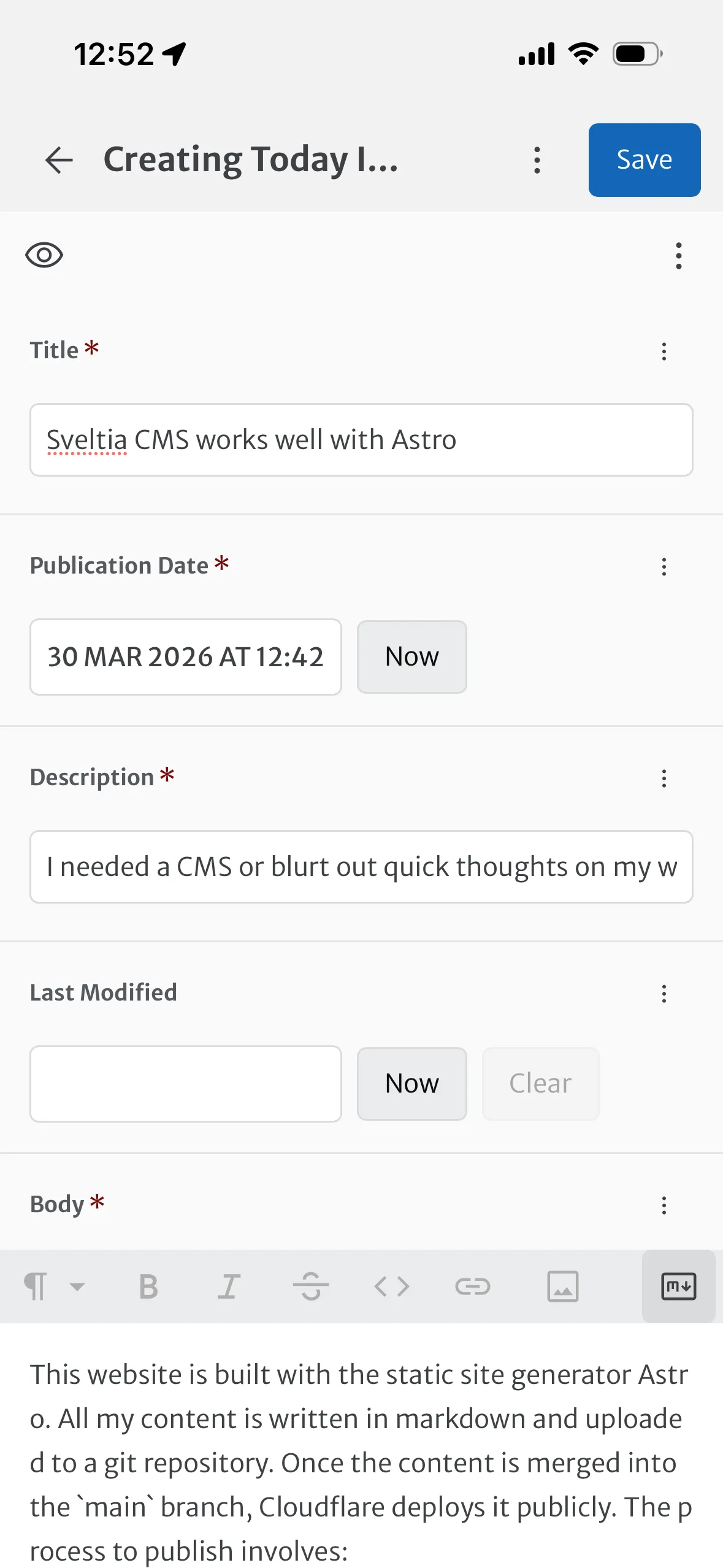
The authentication is straightforward for technical people. I need to paste a GitHub Personal Access Token (PAT) in the login page, and that’s it. Sveltia will fetch the existing content and display it.
The PWA itself is also easy to deploy: I need to add a page served under the /admin route, that imports the app. I could just import it from a third party CDN, but there’s also a npm package for it. It allows me to serve the javascript as a first party instead, all while easily staying up to date.
I installed it with
$ pnpm add @sveltia/cmsI then created an Astro page under src/pages/admin/index.astro with the following content
title="src/pages/admin/index.astro"<!DOCTYPE html><html lang="en"> <head> <meta charset="utf-8" /> <meta name="viewport" content="width=device-width, initial-scale=1.0" /> <title>Content Manager – ergaster.org</title> <script> import { init } from "@sveltia/cms"; init(); </script> </head> <body></body></html>I also created the config file under public/admin/config.yml with Sveltia Entry Collections matching my Astro content collections. The setup is straightforward and well documented.
Sveltia has a few caveats though:
- It can only work on a single branch, and not create a new branch per post. According to the maintainer, it should be possible to create new branches with “Editorial Workflow” by Q2 or Q3 this year.
- It pushes content directly to its target branch, including drafts. I still want to run CI checks before merging my content, so I’ve created a
draftsbranch and configured Sveltia to push content there. Once the CI checks have passed I merge the branch manually from the GitHub mobile app. - Having a single target branch also means I can only have one draft coming from Sveltia at a time. If I edited two drafts concurrently on the
draftsbranch, they would both be published the next time I mergeddraftsintomain. - It’s clunky to rename a picture uploaded via Sveltia.
Those are not deal breakers to me. The maintainer seems reactive, and the Editorial Workflow feature coming in Q2 or Q3 will fix the remaining clunkiness.




 Comments