You can filter Helix pickers
 Last modified April 7, 2026
 Helix has a system of pickers. It’s a pop up window to open files, or open diagnostics coming from a Language Server.
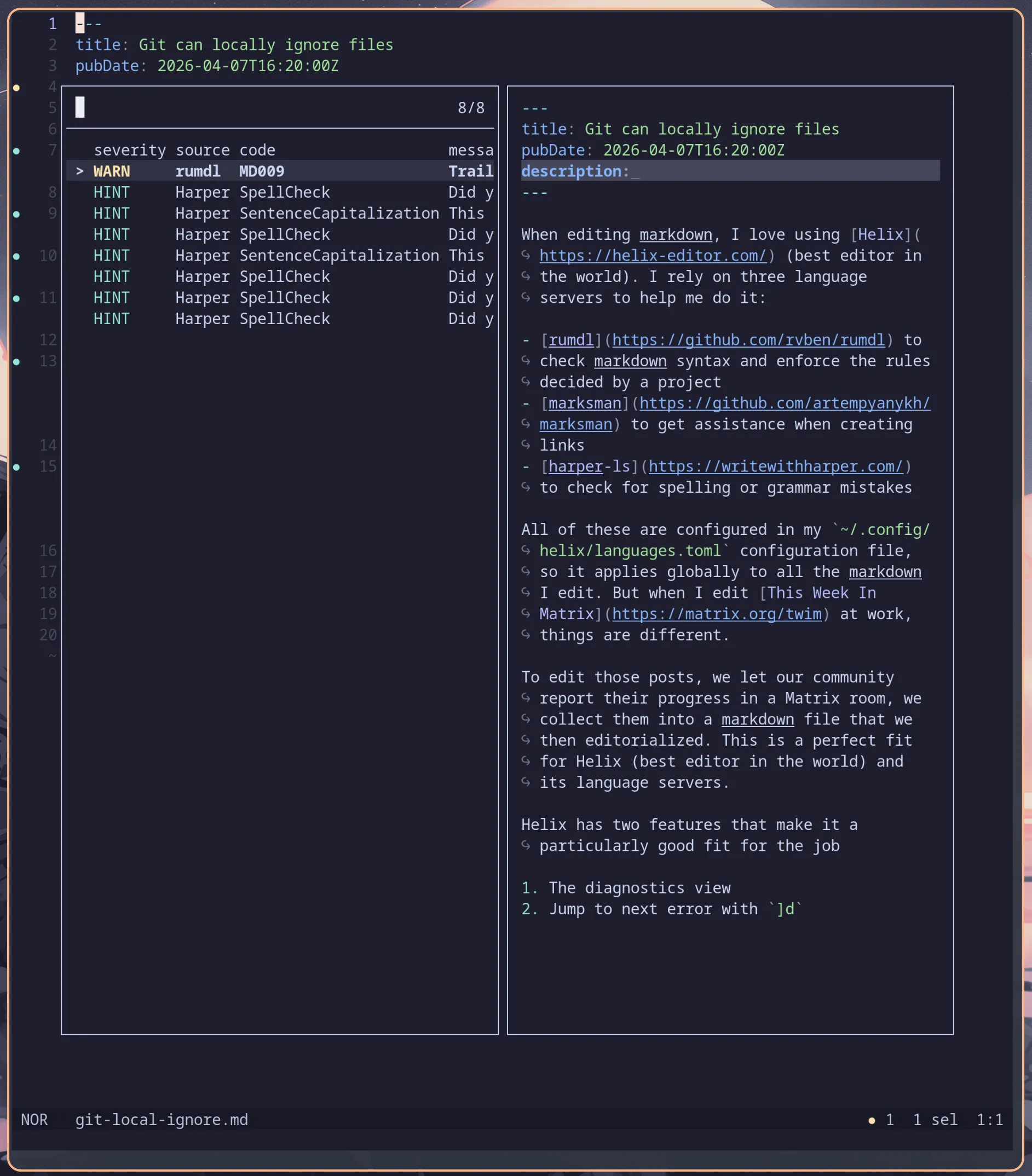
The diagnostics picker displays data in columns:
- severity
- source
- code
- message
Sometimes it can get very crowded, especially when you have plenty of hints but few actual errors. I didn’t know it, but Helix supports filtering in pickers!
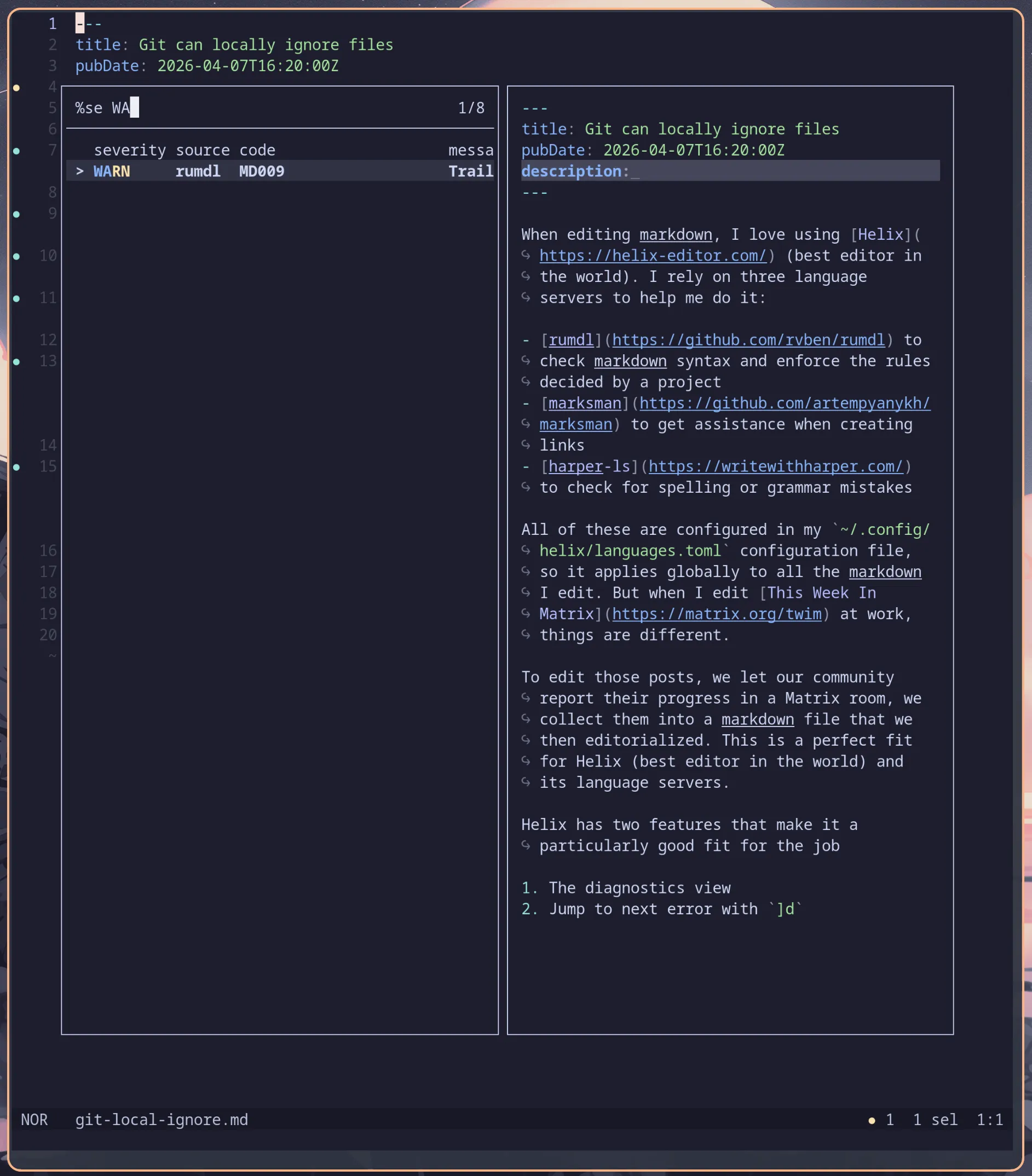
By typing %severity WARN I only get warnings. I can even shorten it to %se (and not %s, since source also starts with an s). The full syntax is well documented in the pickers documentation.




 Comments